AD Attack Lab (Part 3) - Detection Engineering
In Part 2, five attacks ran against the domain and every one of them left a footprint in Wazuh. The raw events were there: Event IDs 4625, 4769, 4768, 4624, 4662. But raw events aren’t detections. A SOC analyst staring at a wall of unfiltered logs isn’t doing detection engineering. Writing the rules that turn those events into actionable alerts is.
This post covers Phase 3: building five custom Wazuh detection rules from scratch, one per attack technique, testing that each one fires correctly, and running benign activity to make sure they don’t fire when they shouldn’t. Getting that second part right is what separates a useful detection from one that cries wolf until someone disables it.
All five rules and the MITRE ATT&CK coverage map are published in the detection-rules and mitre-coverage directories of the lab repo.
A Quick Note on How Wazuh Handles Logs
Before getting into the rules, it’s worth explaining something that took real troubleshooting to figure out, because it’s a meaningful difference from how most people think SIEMs work.
In Splunk or Elastic, everything gets ingested. Every log lands in the index, and analysts search freely across all of it. Wazuh works differently. It was originally built as a host-based intrusion detection system (HIDS), not a traditional SIEM. By default, if an event doesn’t match an existing rule, Wazuh discards it. It never touches the index and it’s never searchable.
That’s why Kerberos events (4768, 4769) weren’t showing up in Discover during Phase 2, even though they were clearly happening on the domain. Wazuh had no built-in rules matching the specific attack patterns, so those events were getting silently dropped.
The fix was two things:
- Enable
logall_json: yesin the Wazuh config. This forces every event into an archive regardless of rules. - Add
wazuh-archives-*as a searchable index pattern in the dashboard.
With that in place, the raw events became visible and the rule-writing could begin.
The Five Detection Rules
Rule 1 — Password Spray: Failed Logon (T1110.003)
The first rule targets the burst of failed network logons that password spraying generates. The key challenge here is distinguishing a spray from a single user mistyping their password. A spray hits many accounts from one source. A bad password attempt hits one account once or twice.
The rule solves this with a frequency threshold: it chains off Wazuh’s built-in parent rule for NTLM failed logons, adds a filter for Logon Type 3 (network logon only, not interactive failures from the local machine), and only fires when 5 or more failures hit within a 60-second window.
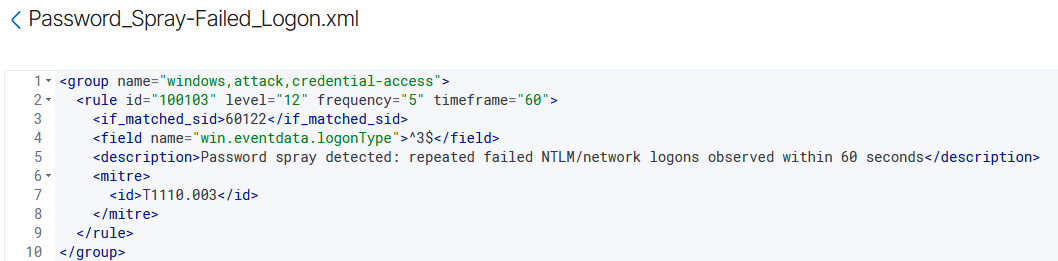
A few fields worth understanding here:
if_matched_sid: tells Wazuh to only evaluate the rule when a specific parent rule has already fired. Instead of parsing the raw log again, we’re stacking on top of an existing match. It’s more efficient and avoids duplicating logic.frequency+timeframe: the rule only triggers if the parent condition is metfrequencytimes withintimeframeseconds. This is the threshold mechanism that separates a spray from a single bad login.logonType ^3$: the^and$are regex anchors meaning “exactly this value.” Logon Type 3 is a network logon (authenticating to a remote resource), which is what a spray over SMB or Kerberos generates.
Re-running the kerbrute spray confirmed the rule fired cleanly.
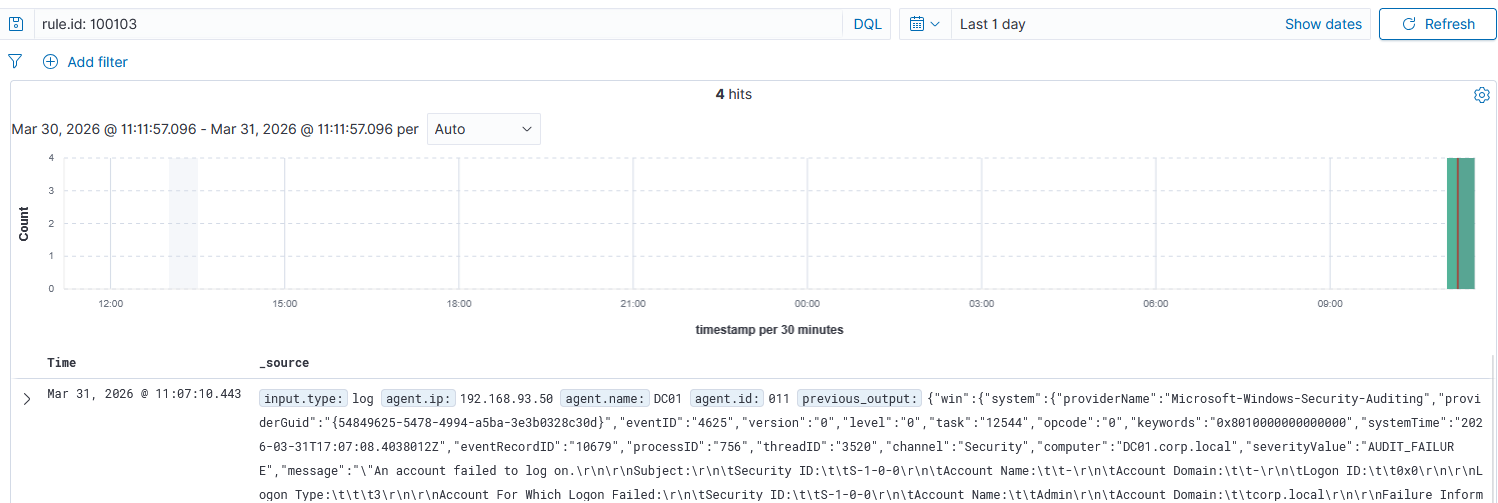
In a real environment, tuning would go further: narrowing the threshold based on observed baseline traffic, excluding known service accounts that legitimately generate periodic failed logons, and potentially correlating with the source IP to flag external or unexpected sources.
Rule 2 — Password Spray: Kerberos Pre-Auth Failure (T1110.003)
Kerbrute doesn’t spray over SMB. It hits Kerberos directly, which generates Event ID 4771 (Kerberos pre-authentication failure) instead of 4625. The two events are different log sources and need separate rules.
The logic is the same: frequency threshold, same 5-in-60 window, but chaining off the Kerberos parent rule and matching on Event ID 4771 specifically.
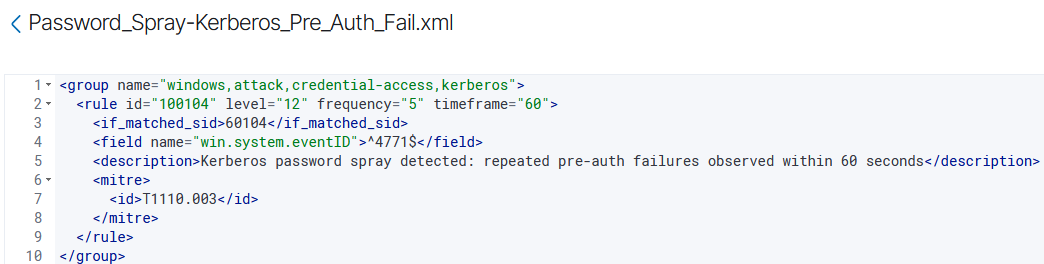
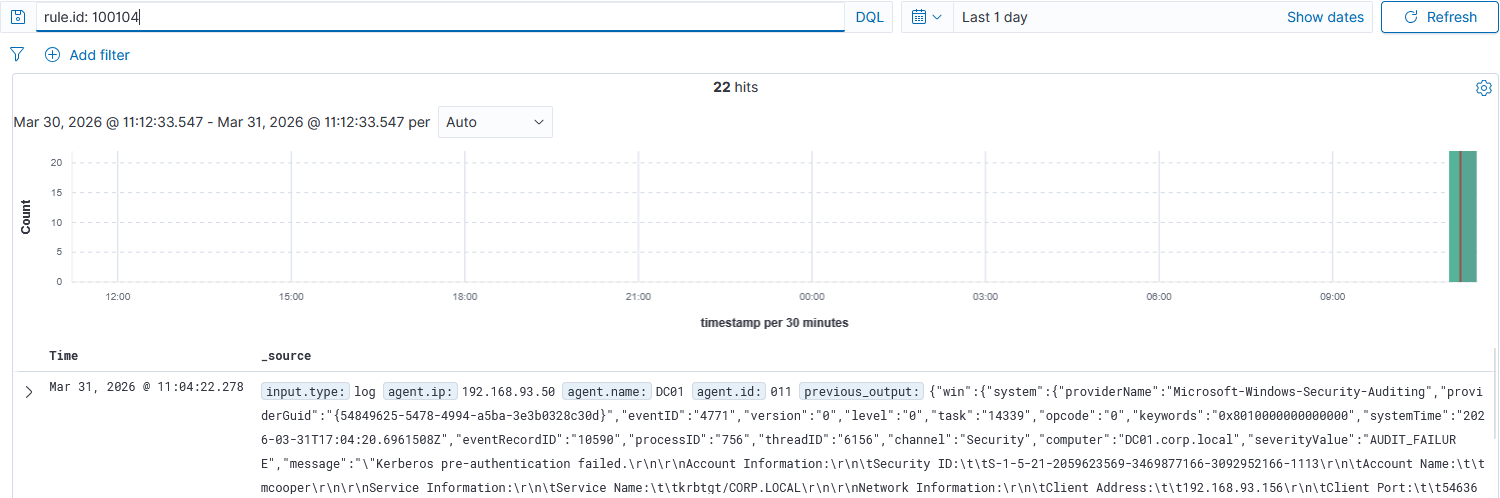
The reason both rules exist is that a real adversary will often try multiple spray methods in sequence or in parallel. Covering only NTLM failures and missing the Kerberos path leaves a blind spot.
Rule 3 — Kerberoasting (T1558.003)
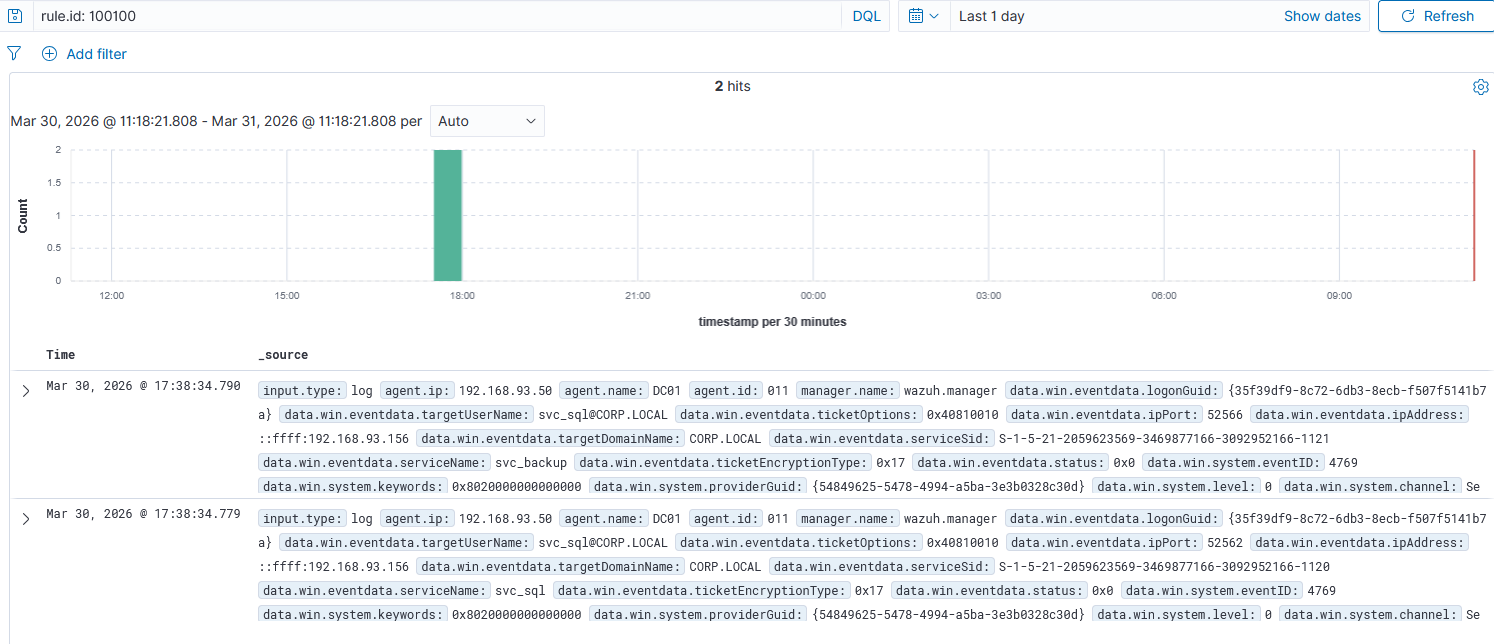
The Kerberoasting rule was deployed earlier in the lab and confirmed during Phase 2. The detection logic keys on two fields in Event ID 4769 (Kerberos service ticket request): the ticketEncryptionType must be 0x17 (RC4), and it chains off the parent Kerberos rule.
RC4 encryption for service tickets is the fingerprint. Modern Windows environments negotiate AES by default (0x12 or 0x11). An RC4 ticket request against a service account is almost always an attacker probing for crackable hashes.
Rule 4 — AS-REP Roasting (T1558.004)
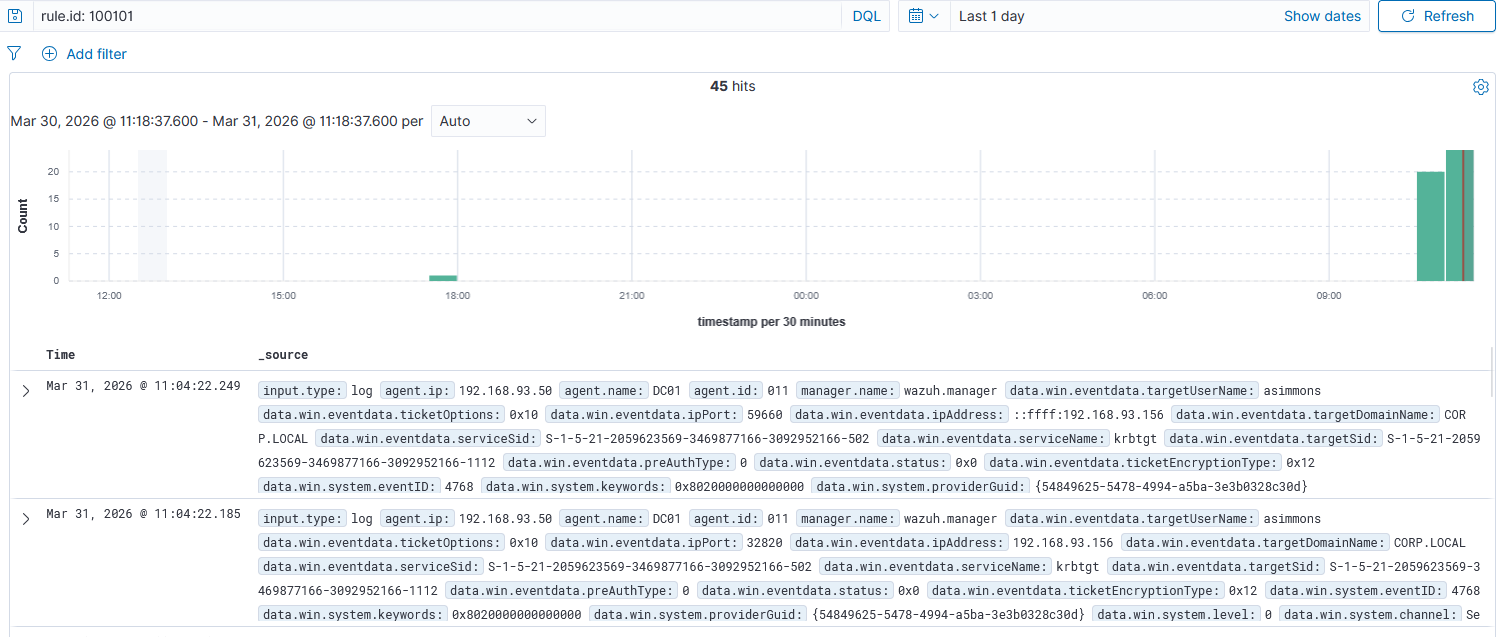
The AS-REP Roasting rule keys on Event ID 4768 (Kerberos authentication ticket request) with preAuthType set to 0. Pre-auth type 0 means the DC responded without requiring the client to prove their password first. That’s the misconfiguration that makes this attack possible.
Same parent rule chain, same encryption type flag. The only structural difference from the Kerberoasting rule is the event ID (4768 vs 4769) and the pre-auth field instead of the encryption type.
Rule 5 — Pass-the-Hash (T1550.002)
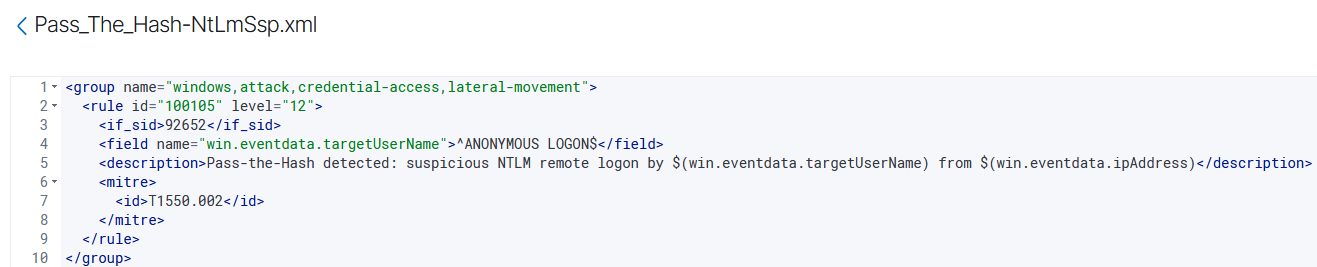
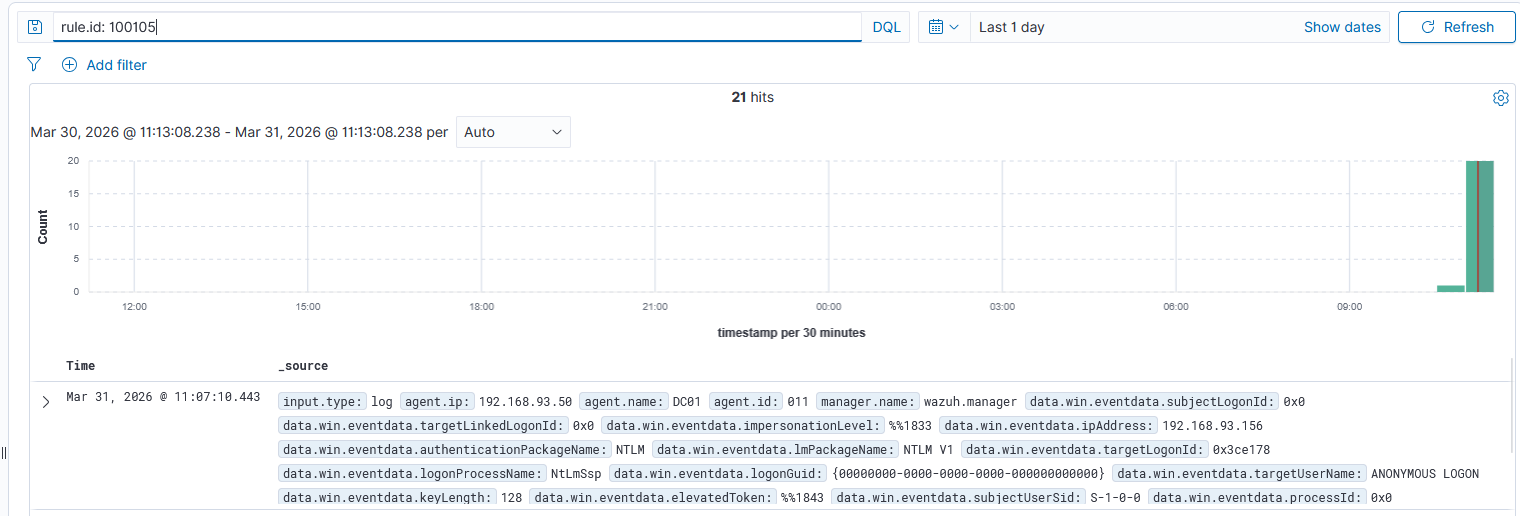
Pass-the-Hash was the most interesting rule to tune. The detection approach keys on NTLM network logons where the target username resolves to ANONYMOUS LOGON. That pattern shows up during Pass-the-Hash attempts when the authentication handshake doesn’t carry a real user identity in that field.
The rule chains off Wazuh’s parent NTLM rule (92652) and anchors the target username with regex to match exactly ANONYMOUS LOGON$.
Rule 6 — DCSync (T1003.006)
The DCSync rule was also deployed earlier and confirmed during Phase 2. It keys on Event ID 4662 (directory service object access) with two specific replication GUIDs in the properties field: 1131f6aa and 1131f6ad, the GUIDs for DS-Replication-Get-Changes and DS-Replication-Get-Changes-All.
These GUIDs only appear when an account is requesting domain replication data. In a single-DC lab, there’s no legitimate replication traffic, which makes this rule essentially noise-free. In a real environment with multiple DCs, the rule needs a suppression for known DC computer accounts.
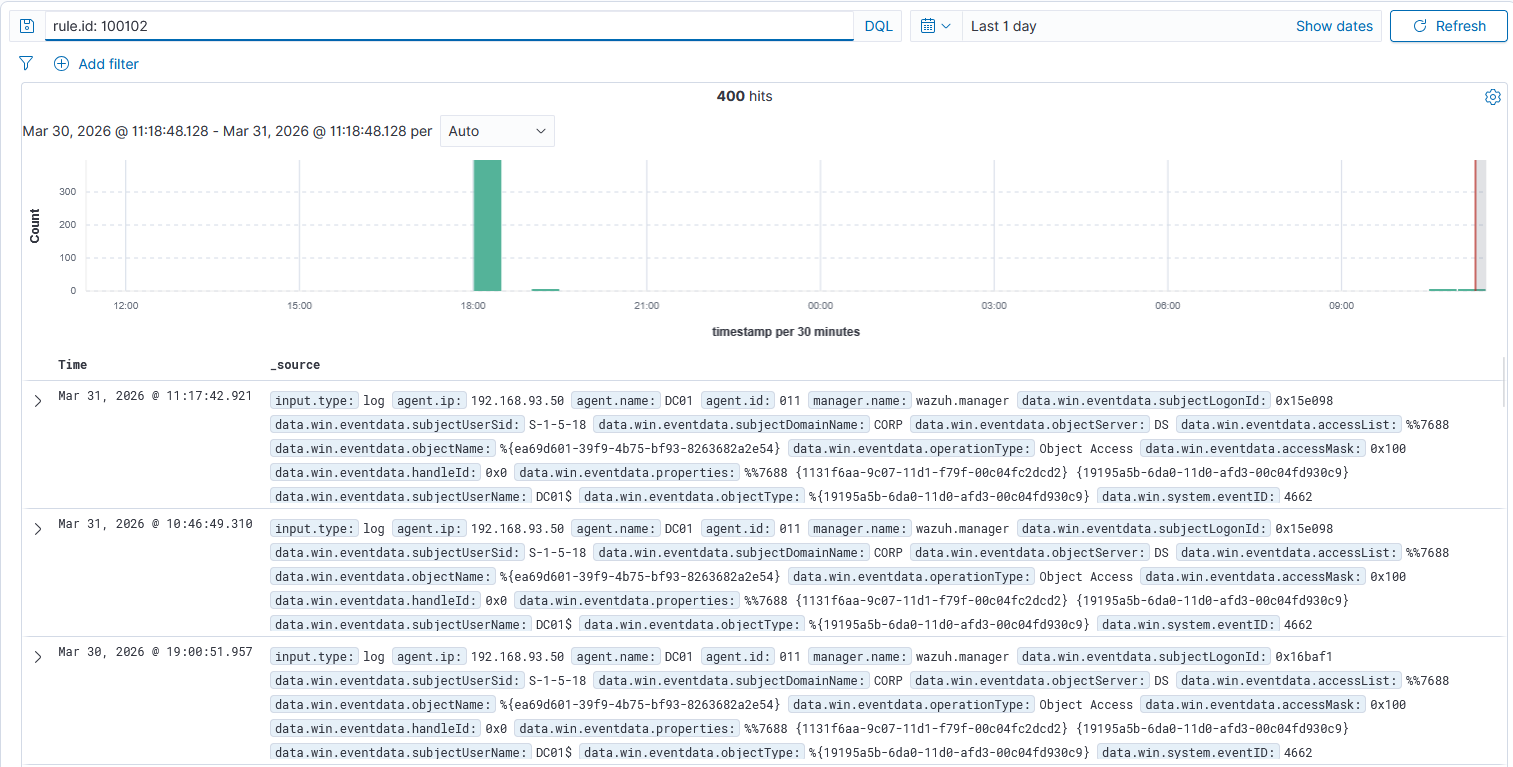
The 400-hit volume reflects the number of replication calls secretsdump.py makes when pulling the full domain hash database.
False Positive Testing
Writing a rule that fires on an attack is only half the job. A rule that also fires on normal activity is worse than useless. It trains analysts to ignore it and eventually gets disabled. Each rule needs to be tested against the benign activity it might confuse for an attack.
Test 1 — Wrong Password at the Workstation
To test whether the password spray rule would fire on a single user making mistakes, the Administrator account on the DC was locked out intentionally by entering the wrong password three times at the Windows login screen.
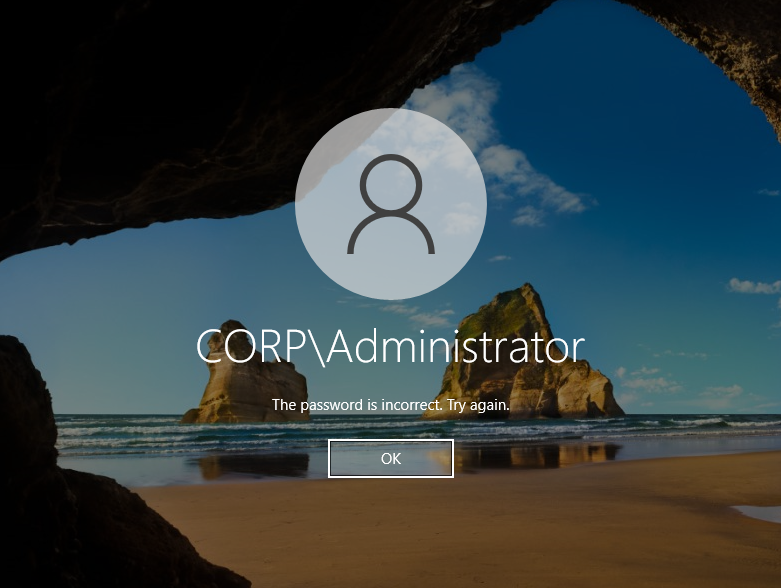
Then Wazuh was checked for rule 100103 firing during that window.

No alert. Three failed logons across 60 seconds from a single interactive session doesn’t meet the frequency threshold of 5, and it’s Logon Type 2 (interactive), not Logon Type 3 (network). Both conditions protected against the false positive.
Test 2 — Failed Kerberos Authentication from Kali
To test the Kerberos spray rule, failed authentication attempts were sent from Kali using a wrong password, similar to what a spray looks like but below the threshold.


No alert. Fewer than 5 failures inside the 60-second window kept the rule silent.
Test 3 — Mapped Network Drive to the DC
This tested both the Kerberoasting rule and the Pass-the-Hash rule at once. A network drive was mapped from the Windows 10 workstation to the DC’s C$ share (\\192.168.93.50\c$) using normal domain credentials.
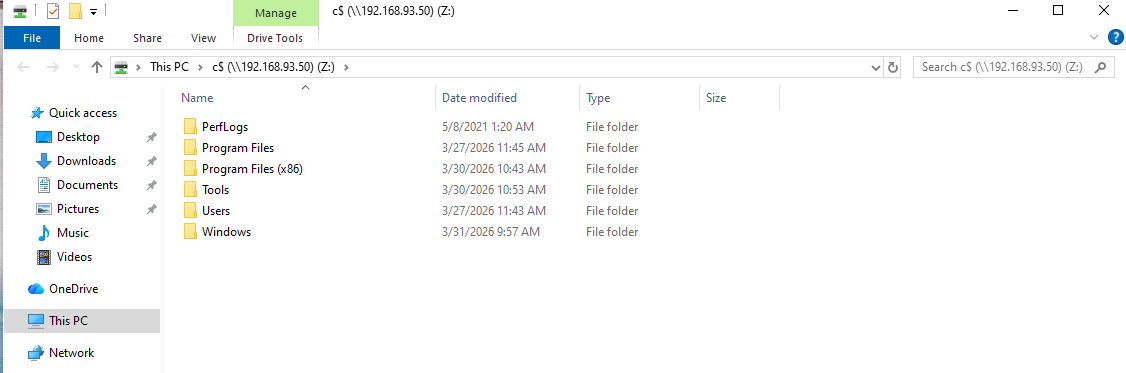
Mapping a drive authenticates over Kerberos by default and generates network logon traffic. On paper, that could look like Kerberoasting or lateral movement. The rules should stay quiet.


No alerts on either rule. Normal Kerberos-authenticated drive mapping doesn’t generate RC4 ticket requests (it uses AES), and it doesn’t produce the ANONYMOUS LOGON pattern the PtH rule is keying on.
All Five Rules — Summary View
Wazuh’s Rules management UI shows all custom rules in one view. All five are listed, active, and mapped to their MITRE ATT&CK technique IDs.
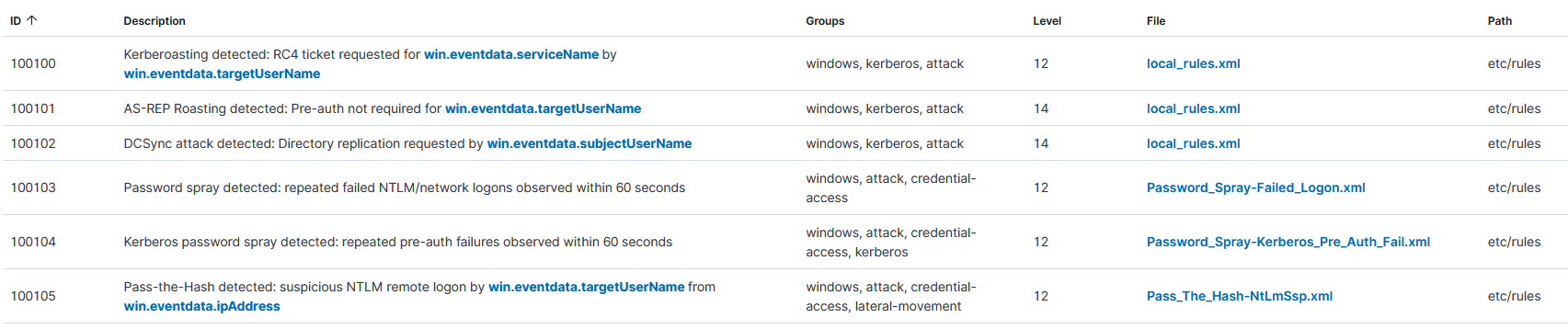
The full rule file is in the lab repo: detection-rules
MITRE ATT&CK Coverage
The five techniques covered by this lab map to the Credential Access and Lateral Movement tactics in the MITRE ATT&CK framework. The Navigator heatmap below shows the coverage across the attack chain.
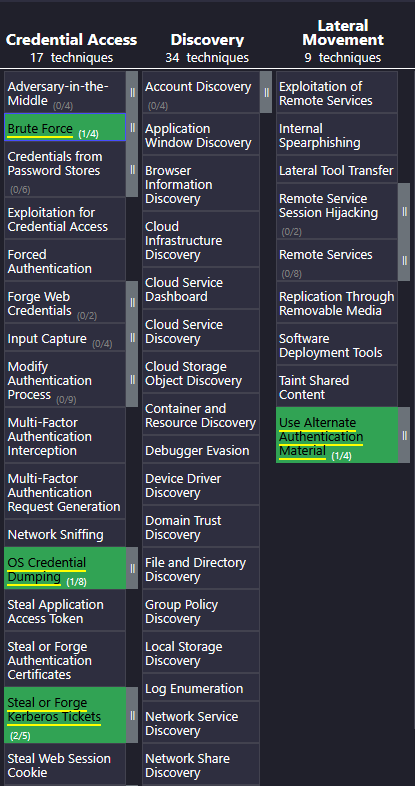
The JSON, SVG, and XLSX exports are in the lab repo: mitre-coverage
What’s Next
With rules written, tested, and validated, Phase 4 is the forensic investigation. The task is working backwards from the alerts, treating them like a real ticket, and reconstructing what happened using only the logs. Eric Zimmerman’s tools, Timeline Explorer, and six exported event log files are next.