GOAD - Lab Build & Environment Setup
What This Lab Is
I wanted a lab where I could run real attacks against a real Active Directory environment and then flip to the defensive side and actually investigate what I just did. Not a CTF where the answer is baked in, and not a platform that hands you a VM and calls it a day. Thankfully, GOAD is the perfect solution for this.
The offensive work will cover the usual phases: recon, exploitation, lateral movement, persistence. The defensive work is about detection and investigation for each phase. Looking at the logs, the PCAPs, and figuring out what happened, how far it got, and where a defender could have caught it earlier.
I’ll be breaking everything down into separate sections and posting blogs about them. This blog serves to outline how I setup the lab.
Why GOAD Instead of Metasploitable
Metasploitable3 was the obvious starting point. Lots of documentation, plenty of vulnerable services, and no shortage of writeups. The problem is the age. Windows Server 2008 and an ancient Ubuntu box don’t really reflect what’s sitting in production networks today. The AD structure is also basically nothing, which limits what you can actually do on the offensive side.
GOAD (Game of Active Directory) is a purpose-built vulnerable AD playground from Orange Cyberdefense. The full version spins up:
- 5 VMs
- 2 forests
- 3 domains
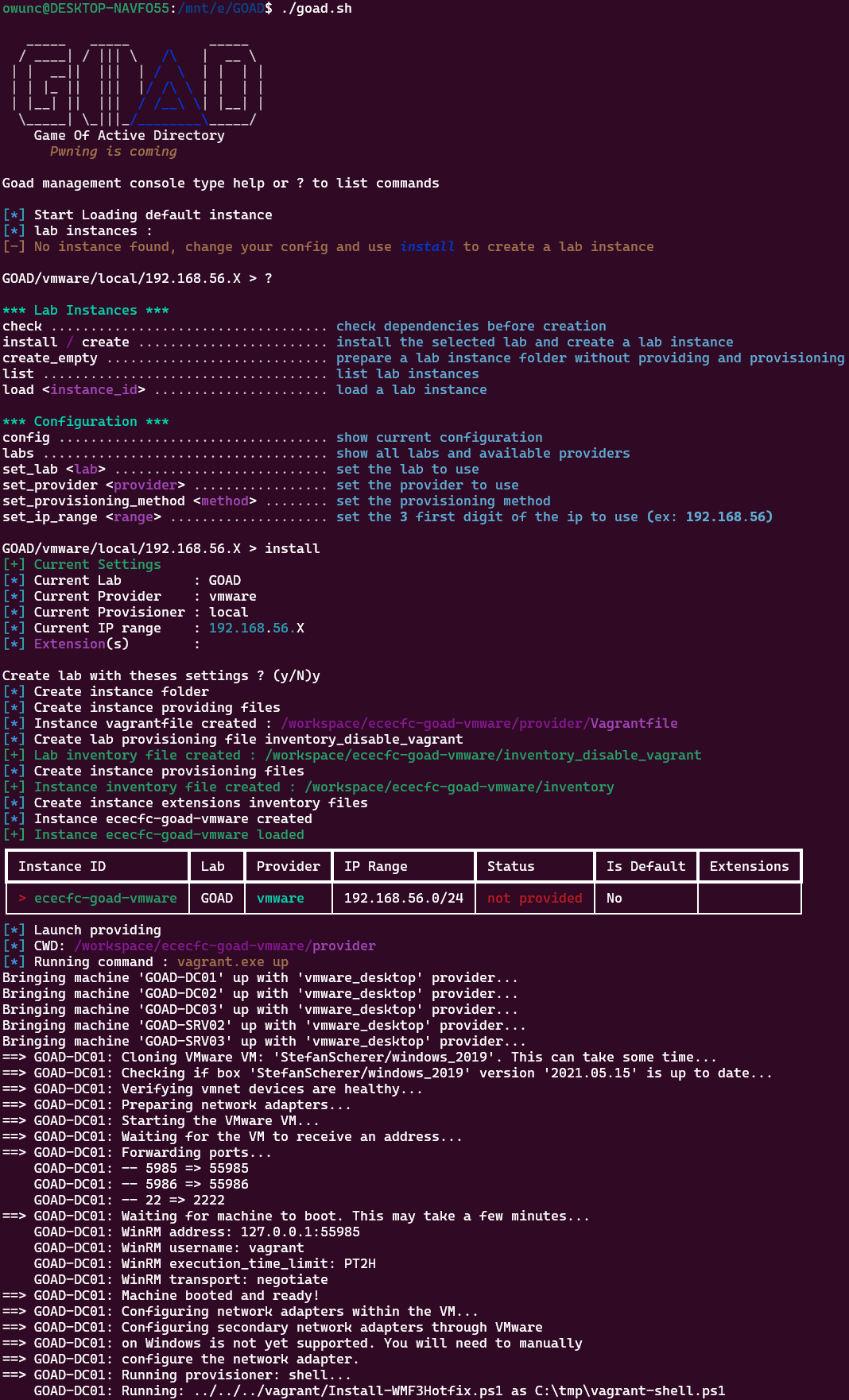
That’s a much more interesting target. Trust relationships, cross-forest attack paths, multi-domain privilege escalation. On the defensive side it’s equally useful since attack activity is spread across multiple machines and log sources, which is a lot closer to what a real investigation looks like. GOAD is also actively maintained, so the misconfigurations and attack paths aren’t all decade-old CVEs.
The catch is that it’s not a simple setup. The resource requirements are real and the provisioning script requires some babysitting.
Hardware Constraints and How I Worked Around Them
The GOAD wiki puts the RAM requirement at around 24GB. I have 32GB and thought that would be fine. It’s not, once you factor in the host OS and Wazuh running alongside everything else, I barely scrape by.
The fix was moving Wazuh off to my homelab. I have an Ubuntu server on some spare hardware that handles the SIEM side of things. Offloading that freed up enough headroom on the main machine to run GOAD without everything grinding.
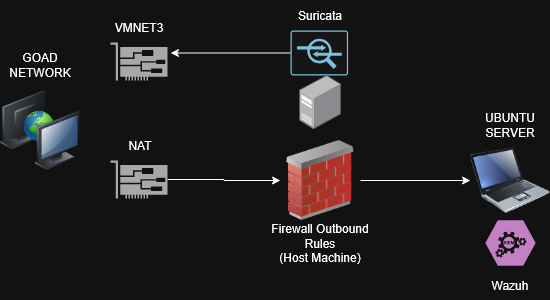
For networking, each GOAD VM got two NICs:
- vmnet3: The isolated internal network just for GOAD. All the AD traffic, attack traffic, and lateral movement happens here. This is what Suricata watches.
- Host network (NAT, restricted): Only used for the Wazuh agents to phone home to the homelab server. A firewall rule blocks everything except outbound Wazuh traffic so nothing from the lab accidentally touches my actual network.
Suricata runs on the host and listens on vmnet3, so it catches everything moving between the VMs. Wireshark works the same way when I want to pull a PCAP manually.
Getting GOAD Actually Running
The setup script is where most people hit a wall. It provisions all five VMs over SSH and WinRM, pushing out domain configs, users, group policies, and trust relationships. When the networking is right it mostly handles itself. When it’s not, you get vague failures with little documentation and a half-baked domain.
My issue was NIC misconfiguration after the VMs were created. The DHCP and DNS settings got mangled during provisioning, so the VMs couldn’t talk to each other. DC01 couldn’t reach DC02, DC02 couldn’t reach DC03, and so on. None of them could reach my host for the SSH and WinRM sessions the script needs to do its job. Provisioning would stall partway through and leave everything in a broken state.
I had to go through each VM manually, fix the NIC configs, static IPs since DHCP couldn’t do it, and verify DNS resolution was actually working before running the script again. Once the machines could actually talk to each other and to my host machine, it went through cleanly.
P.S. If you’re trying to setup yourself, the default credentials for all VMs is
vagrant:vagrant, which has administrative access for any fixes you need to do manually
If you’re stuck on something similar, DNS is almost always the problem. Check that before you go digging anywhere else. And if the VMs can’t talk to your host machine and vice versa, it’ll never work.
Wazuh Agents
With GOAD provisioned, I installed Wazuh agents on all five VMs, pointed them at the homelab server, and set the service to start on boot. The NAT addresses on the host-network NICs were set to static so the agents don’t lose connectivity after a reboot.
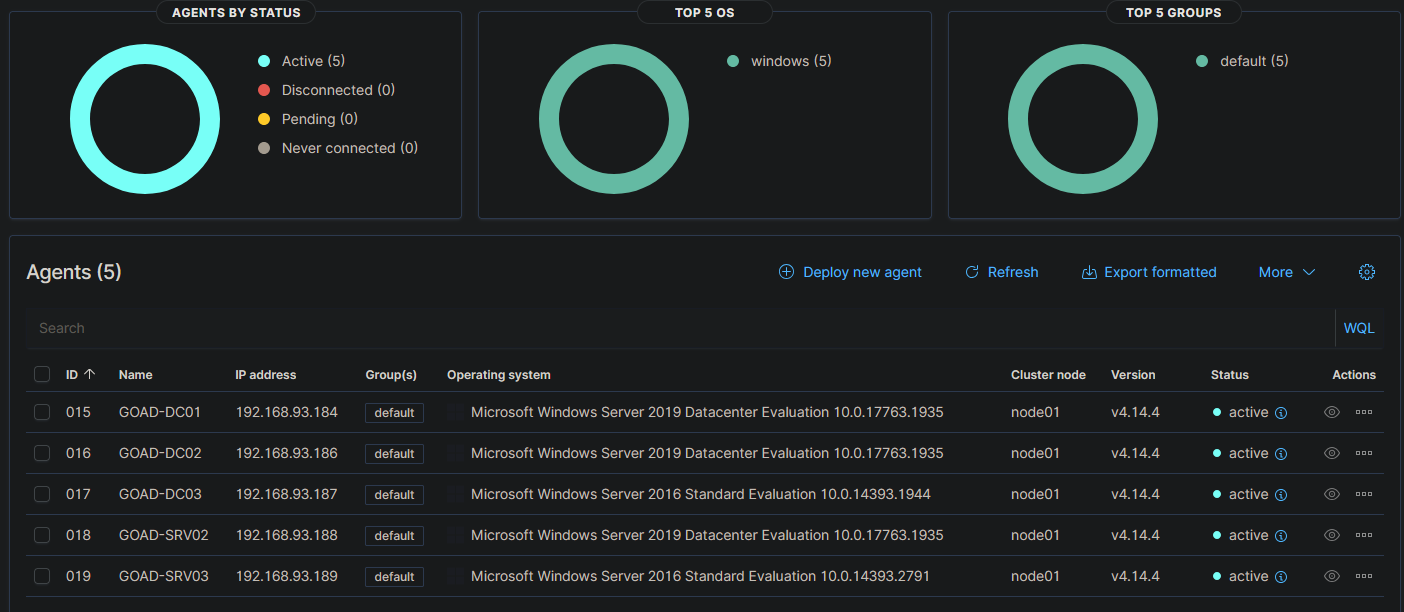
All five are active and reporting. Good enough to move on.
Suricata on Windows
Suricata on Windows needs two things:
- Suricata for Windows
- Npcap, which Suricata needs to actually capture packets on Windows
After installing both, I pointed Suricata at vmnet3 and let it run. Quick sanity check to make sure the logs are being populated.
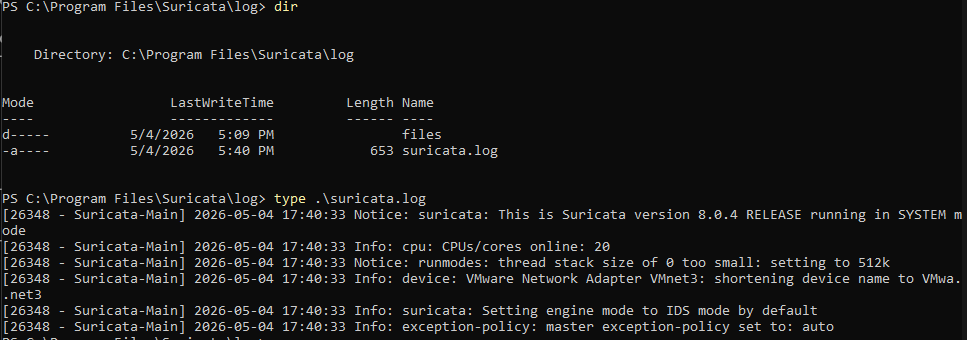
Logs are coming in. Setup is done.
Why Not Just Use HTB or TryHackMe
The managed platforms are fine for learning specific techniques. The problem is you can’t touch the defensive side. There’s no logging infrastructure you control, no detection stack you can tune, and no way to investigate what you just did from a defender’s perspective, and most importantly, no way to learn how to fix the vulnerability. You run the attack, you get the flag, and that’s it.
Here I can run an attack, then go check what Suricata flagged, pull the PCAP, dig through the Wazuh logs, and figure out where detection worked and where it didn’t. I can implement patches temporarily for practice, and revert afterward. When something doesn’t alert that should, I can actually figure out why and fix it. That back-and-forth is the whole point of building this rather than just renting someone else’s environment.
What’s Next
Everything is up: domain provisioned, agents connected, Suricata watching the right interface.
The next posts cover the actual attacks, one phase at a time. After each offensive post comes the defensive side: what the attack left behind in the logs and PCAPs, how it could be detected, and what a realistic response looks like.
NOTE: Throughout the exploitation phase, I will be using OrangeCyberDefense’s AD mindmap that you can find here: https://orange-cyberdefense.github.io/ocd-mindmaps/